> ## Documentation Index
> Fetch the complete documentation index at: https://comfytv.org/llms.txt
> Use this file to discover all available pages before exploring further.
# Composing & arranging
## Pickers
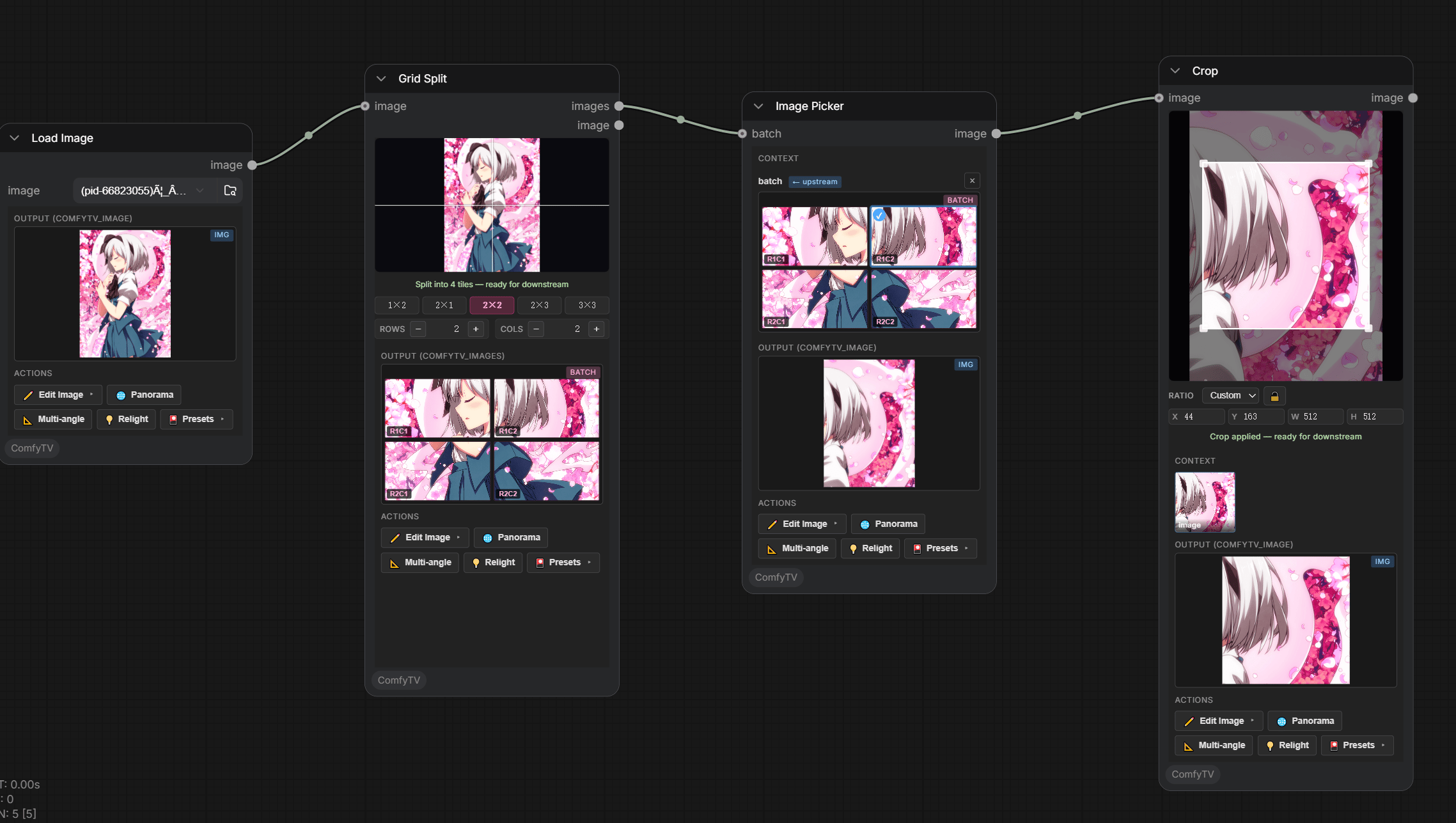 Pick **one** item out of a batch. There is a picker per medium:
* **Image Picker** — from an Image Stage, Grid Split, Image Variations, Panorama Multi-View, …
* **Video Picker** — from a Video Stage batch.
* **Audio Picker** — from a Music Stage batch.
Common behavior:
* Click a thumbnail; the selection is the picker's single-item output.
* The Image Picker carries the full **action toolbar** (`✏️ Edit`, `🌐 Panorama`, `📐 Multiangle`, `💡 Relight`, presets).
* Generator stages **auto-create** their picker on first Run.
***
## Compare (A/B)
Pick **one** item out of a batch. There is a picker per medium:
* **Image Picker** — from an Image Stage, Grid Split, Image Variations, Panorama Multi-View, …
* **Video Picker** — from a Video Stage batch.
* **Audio Picker** — from a Music Stage batch.
Common behavior:
* Click a thumbnail; the selection is the picker's single-item output.
* The Image Picker carries the full **action toolbar** (`✏️ Edit`, `🌐 Panorama`, `📐 Multiangle`, `💡 Relight`, presets).
* Generator stages **auto-create** their picker on first Run.
***
## Compare (A/B)
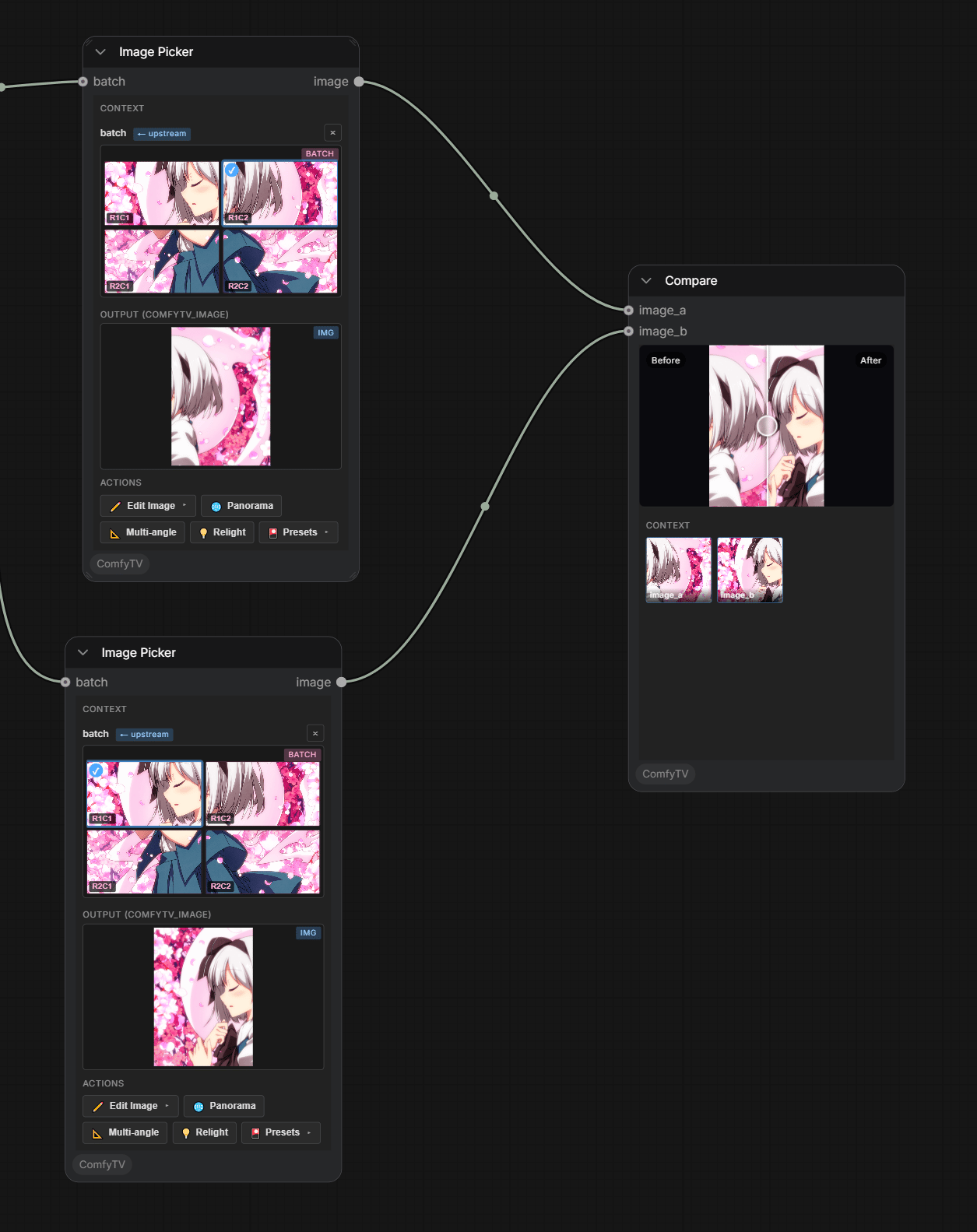 A before/after **slider** inspector comparing **image\_a** (original) and **image\_b** (edited).
***
## Bigger arranging tools
When one picker isn't enough, ComfyTV has larger arranging surfaces:
* **Storyboard Editor** — a multi-board drawing workbench (the full layer-editor engine per board) with onion skin, timeline playback, and animatic / GIF / PDF / ZIP export. Fountain scripts import as boards.
A before/after **slider** inspector comparing **image\_a** (original) and **image\_b** (edited).
***
## Bigger arranging tools
When one picker isn't enough, ComfyTV has larger arranging surfaces:
* **Storyboard Editor** — a multi-board drawing workbench (the full layer-editor engine per board) with onion skin, timeline playback, and animatic / GIF / PDF / ZIP export. Fountain scripts import as boards.
 * **Sequence** (Video) — a lightweight track-style clip assembler; see [video-and-audio.md](/guides/video-and-audio).
* **Director Timeline + Timeline Render** — a full clip timeline with a one-click render is on the [roadmap](/guides/roadmap).
* **Sequence** (Video) — a lightweight track-style clip assembler; see [video-and-audio.md](/guides/video-and-audio).
* **Director Timeline + Timeline Render** — a full clip timeline with a one-click render is on the [roadmap](/guides/roadmap).